
A single robots.txt mistake can stop Google from discovering valuable pages, waste crawl resources on low-value URLs, or create confusion around pages you intended to keep out of search results. For B2B SaaS companies with complex product, resource, and app architectures, crawling controls are not just developer hygiene; they directly affect organic visibility, pipeline generation, and how efficiently Google understands your site.
Review your robots.txt configuration if you notice any of the following:
Before changing your robots.txt file, it helps to understand how Googlebot requests and processes it. Google always attempts to fetch your robots.txt file before crawling pages on your website.
A valid robots.txt file must be served as a plain text file using UTF-8 encoding. Google enforces a maximum file size limit of 500 KiB. If a robots.txt file exceeds this limit, Google ignores any content after the first 500 KiB when processing crawl directives. For large websites with thousands of rules, this can cause important directives, including sitemap declarations, to be missed if they appear beyond the size limit.
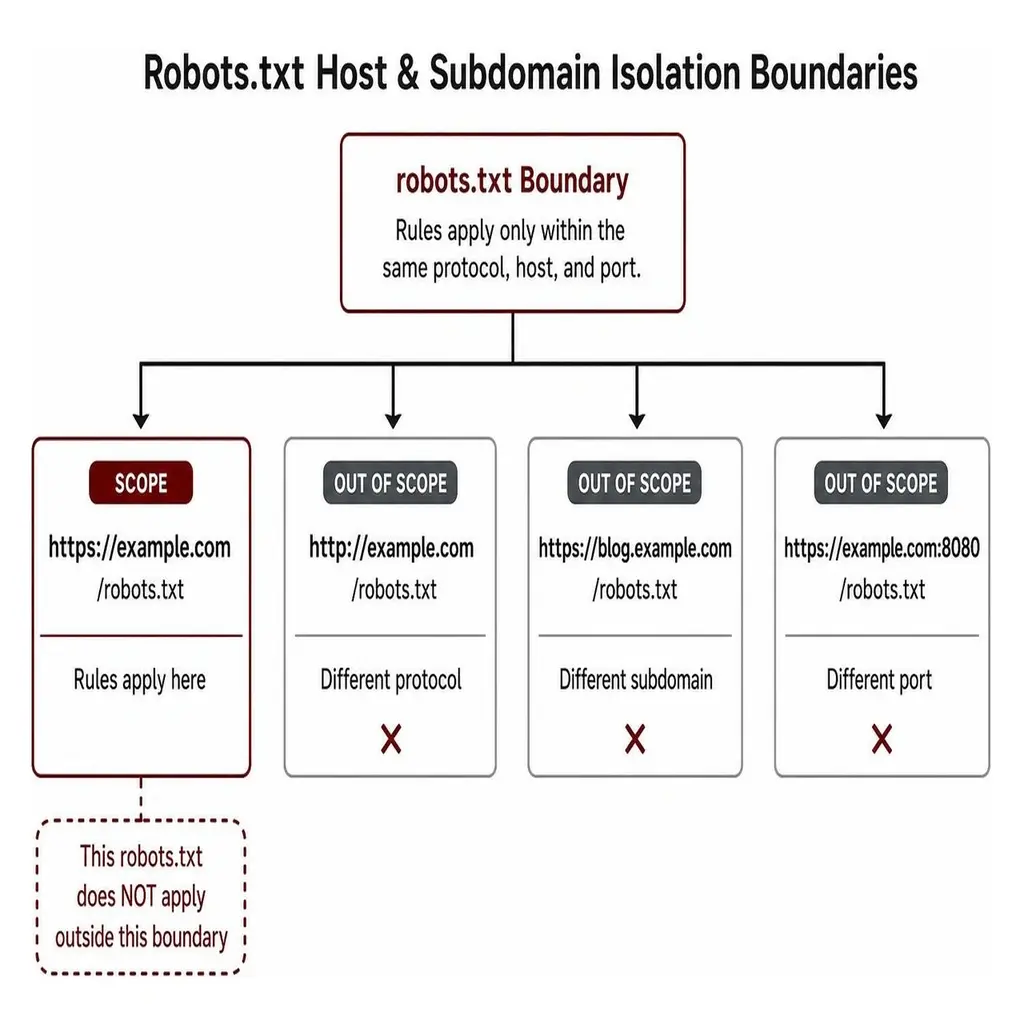
Furthermore, robots.txt rules apply only to the exact website version where the file exists. Different domains, subdomains, protocols, or ports require separate robots.txt files.
A rule written for https://www.segmentseo.com/robots.txt does not apply to:
http://www.segmentseo.com/robots.txt (different protocol)https://blog.segmentseo.com/robots.txt (different subdomain)https://www.segmentseo.com:8080/robots.txt (different port)Every unique subdomain and protocol variant requires its own dedicated robots.txt file located in its specific root directory.
To be recognized as valid by search engine crawlers, the file must reside in the root directory of the site host. For example, https://www.segmentseo.com/robots.txt is valid, whereas placing the file in a subdirectory like https://www.segmentseo.com/assets/robots.txt renders it completely useless. Crawlers will not check subdirectories for instructions.
The validity scope of the file covers the entire origin host directory tree downwards from the root. However, it cannot govern parent paths or neighboring subdomains. According to the official Google robots.txt specification documentation, rules only dictate crawling access on the precise host where the file is fetched.
Key takeaway: Your robots.txt file should always be publicly accessible and return a successful response. If Google cannot retrieve it reliably, your crawl rules may not be applied as expected, which can affect how efficiently important pages are discovered.
For SaaS companies running complex platforms, monitoring robots.txt availability is critical because a temporary server error can change how Google accesses your site. When Googlebot requests your robots.txt file, its parsing behavior depends on the HTTP status code returned by your server.
robots.txt, Google treats the file as missing for that host. In practice, Google assumes there are no crawling restrictions and crawls accessible content as if the file were absent.robots.txt file for up to 30 days. Beyond 30 days of persistent 5xx errors, Google defaults to assuming no restrictions exist.If persistent crawl errors, blocked resources, or crawl-budget waste are limiting important pages, Segment SEO's Technical SEO Services can help audit the issue and build a prioritized fix roadmap.
Under normal operating conditions, Google caches the contents of your robots.txt file for up to 24 hours. When you make updates to your rules or point to a new sitemap, expect a slight lag before Google fetches the revised version.
Writing a clean robots.txt file requires applying the standard Robots Exclusion Protocol directives. The core directives recognized by Google are User-agent:, Disallow:, Allow:, and Sitemap:. For SaaS teams, the goal is not to block as much as possible; it is to keep Google focused on indexable marketing, product, pricing, and resource pages while reducing waste on private or duplicated areas.
Rule blocks are grouped under designated User-agent: headers. Within these blocks, Disallow: dictates paths crawlers must skip, while Allow: overrides broad disallow statements for specific subpaths or file types. All path rules are case-sensitive. A rule disallowing /admin/ will not block access to /Admin/.
For SaaS websites, robots.txt is most useful for keeping crawlers out of utility, account, and application areas that do not need to appear in search results. Common examples include:
Use these patterns carefully. Do not block product pages, pricing pages, public documentation, help-center content, or JavaScript and CSS assets needed for rendering. A broad rule such as Disallow: /app/ can cause problems if your public product experience, documentation, or feature pages share the same URL structure.
The Sitemap: directive tells crawlers exactly where to find your primary content index. Unlike Allow: and Disallow:, the Sitemap: directive is independent of user-agent groups. It is a global directive.
Key rules for declaring sitemaps:
https://www.segmentseo.com/sitemap.xml). Relative paths like /sitemap.xml are invalid.Sitemap: lines in a single robots.txt file if you run separate sitemap files or host your sitemap on a Content Delivery Network (CDN) or cross-domain host.Sitemap: directive inside a specific user-agent block will not restrict it to that bot; Google extracts all sitemap declarations globally regardless of placement.Refer to Google's official guide on building and submitting a sitemap for detailed structural guidelines.
As automated AI scrapers proliferate, webmasters increasingly differentiate between standard search engine spiders and AI training bots. That matters for brands investing in AI search visibility, because crawler access choices can affect how different discovery systems interact with your content.
An important rule to keep in mind regarding user-agent matching: the wildcard User-agent: * matches all crawlers except AdsBot crawlers. AdsBot-Google and AdsBot-Google-Mobile ignore the generic * block and must be named explicitly if you intend to alter their crawling parameters.
Key takeaway: Most websites never need complex robots.txt rules. If your site uses overlapping Allow and Disallow directives, understanding how Google chooses between them helps prevent accidentally blocking pages you want to rank.
When Google evaluates a path against multiple rules within a user-agent block, it does not process them top-to-bottom like code. Instead, Google checks which matching rule is most specific.
Key takeaway for SaaS teams: Use broad disallow rules carefully. A specific Allow: rule can protect high-value pages from being blocked accidentally, but only if the path is longer and more specific than the matching Disallow: rule.
Google supports two wildcard operators to handle pattern matching across URLs: the asterisk (*) and the dollar sign ($).
*): Matches zero or more instances of any valid character.$): Anchors the match to the exact end of the URL path.Examples of pattern matching in practice:
Disallow: /*.php blocks /index.php, /sub/page.php, and /script.php?id=123.Disallow: /*.php$ blocks /index.php and /page.php, but allows /page.php?parameter=true because the URL does not end at .php.Disallow: /fish*.php blocks /fish.php, /fish-food.php, and /fishing/index.php.When a crawler encounters conflicting Allow and Disallow directives for the same target URL, Google resolves the conflict using path length count:
Allow and a Disallow rule match a URL with the exact same character count, Google applies the least restrictive rule (Allow).A common misconception in modern web management is using robots.txt as a tool to keep private or low-value pages out of Google's search index.
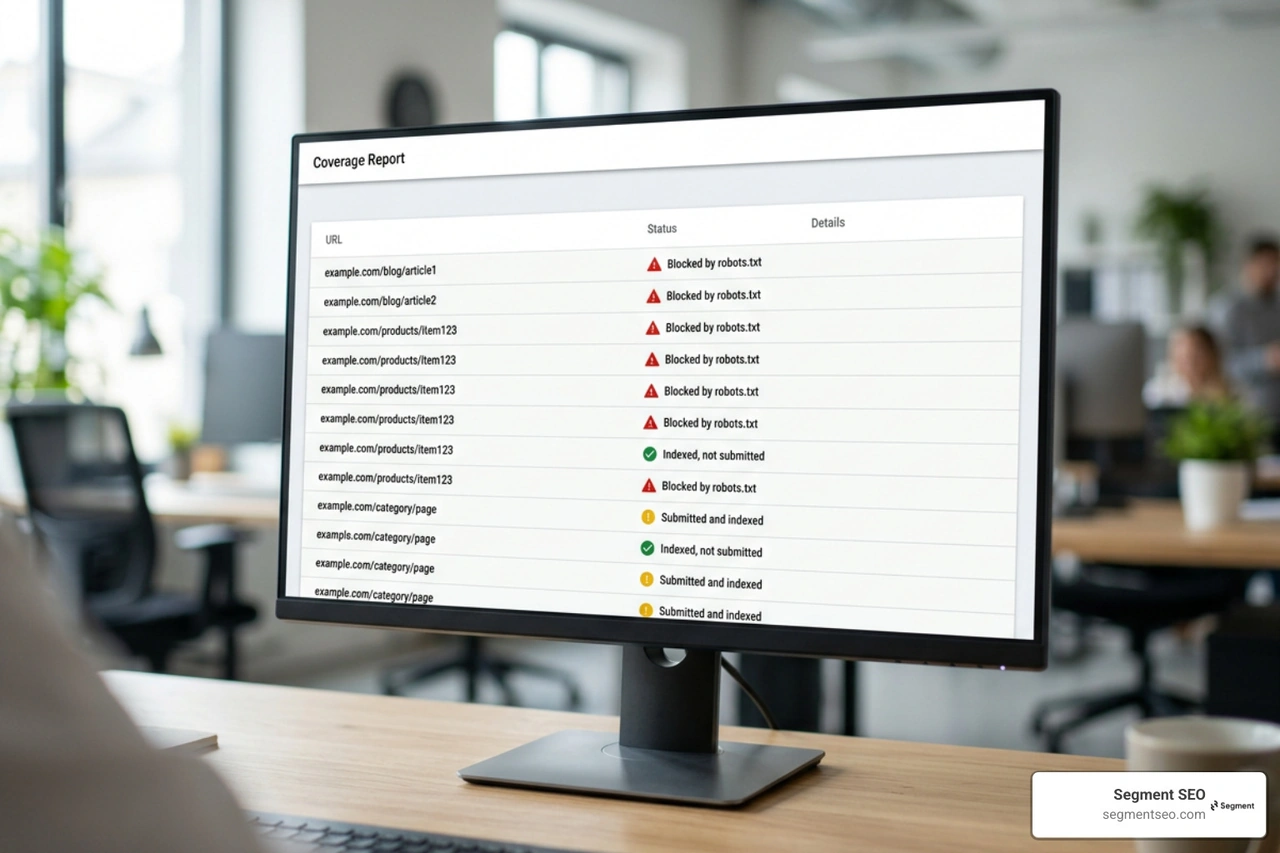
Understanding the distinction between crawling restrictions and indexing signals is crucial when performing an SEO Audit. Blocking a URL in robots.txt only stops Googlebot from visiting and rendering that URL. It does not stop Google from indexing the page.
If external websites link to a URL that you have blocked in robots.txt, Google can still discover and index that URL based on anchor text, surrounding context, and backlink references. When this happens, Google creates a search result snippet that typically says: "No information is available for this page."
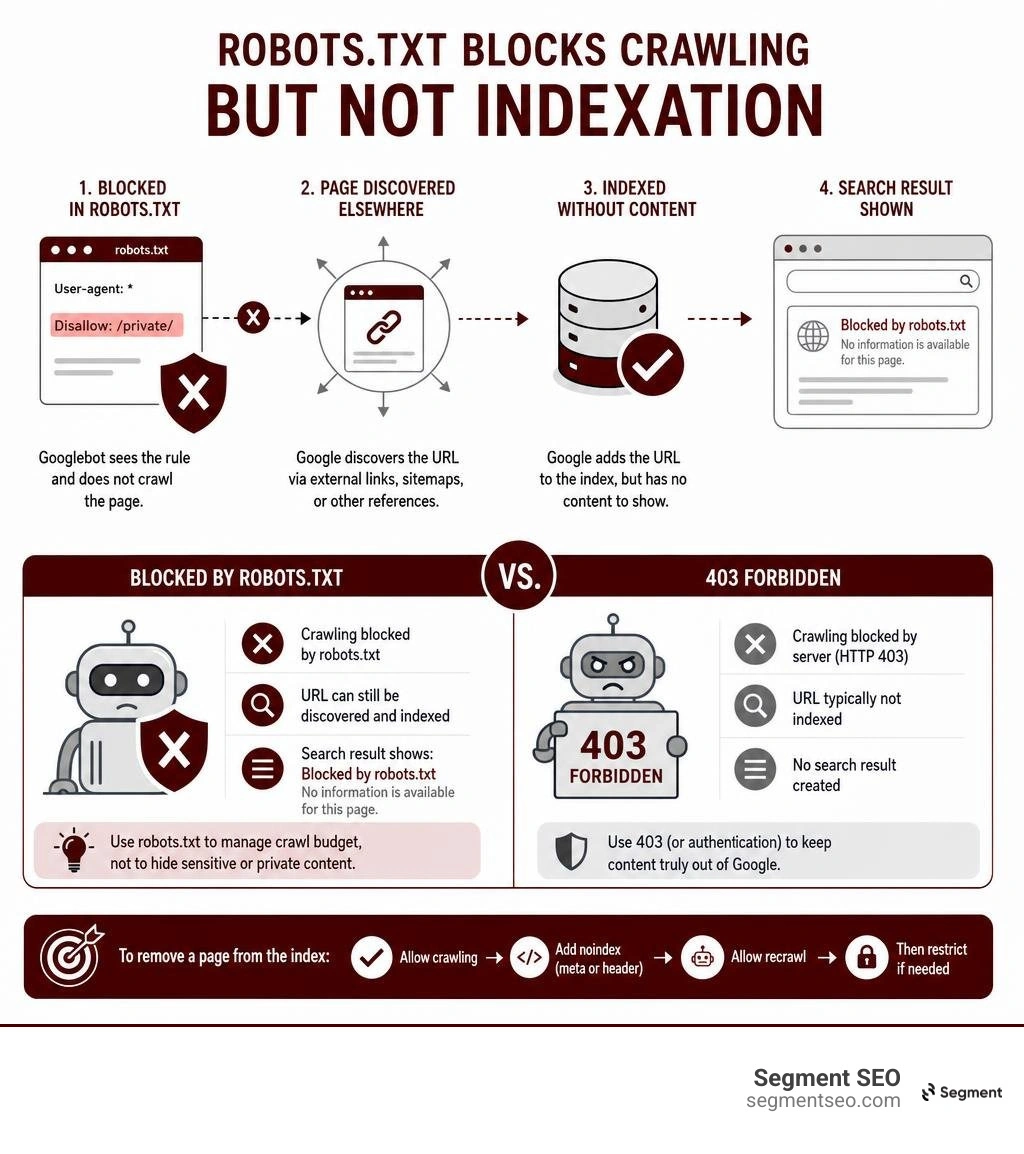
Furthermore, if you place a <meta name="robots" content="noindex"> tag on a page that is disallowed in robots.txt, Googlebot will never see the noindex tag. Because the crawler is blocked from downloading the HTML document, it cannot execute or parse the metadata inside it.
To permanently keep a page out of the search index:
robots.txt file.<meta name="robots" content="noindex"> tag in the <head> of the document or serve an X-Robots-Tag: noindex HTTP response header.Unintentionally disallowing internal resources can also create Orphan Pages by blocking Googlebot's ability to trace link trees across your site.
When auditing technical web setups for SaaS and enterprise teams, we frequently encounter the following syntax and structural mistakes:
segmentseo.com/sub/robots.txt renders all directives inert.") into curly smart quotes (”), corrupting plain text syntax parsing.Disallow: /category/ when your system URLs use segmentseo.com/Category/ leaves the target paths exposed.robots.txt truncates the bottom half of the file, silently disabling global Sitemap: declarations that sit at the end.Disallow: /app/ can accidentally block public product pages if your SaaS marketing site and application share URL architecture. A cleaner setup may block private areas such as Disallow: /dashboard/ and Disallow: /admin/ while keeping commercial pages crawlable with rules like Allow: /pricing/ and Allow: /features/.Technical SEO issues often stay hidden until they impact rankings. A crawl audit can identify blocked pages, wasted crawl paths, indexing issues, and architecture problems before they affect organic growth. Segment SEO's Technical SEO Services help SaaS teams find and prioritize those fixes before they become pipeline problems.
Key takeaway: Every time you update your robots.txt file or XML sitemap, verify that Google can access it correctly. A few minutes of testing can help prevent crawl issues that may affect your site's visibility in search.
Proper technical implementation requires continuous testing and validation. When building custom enterprise setups for Technical SEO for SaaS Companies, verification should always follow a structured testing process. Larger platforms may also need an Enterprise SEO approach so crawling controls, templates, and release processes stay aligned across teams.
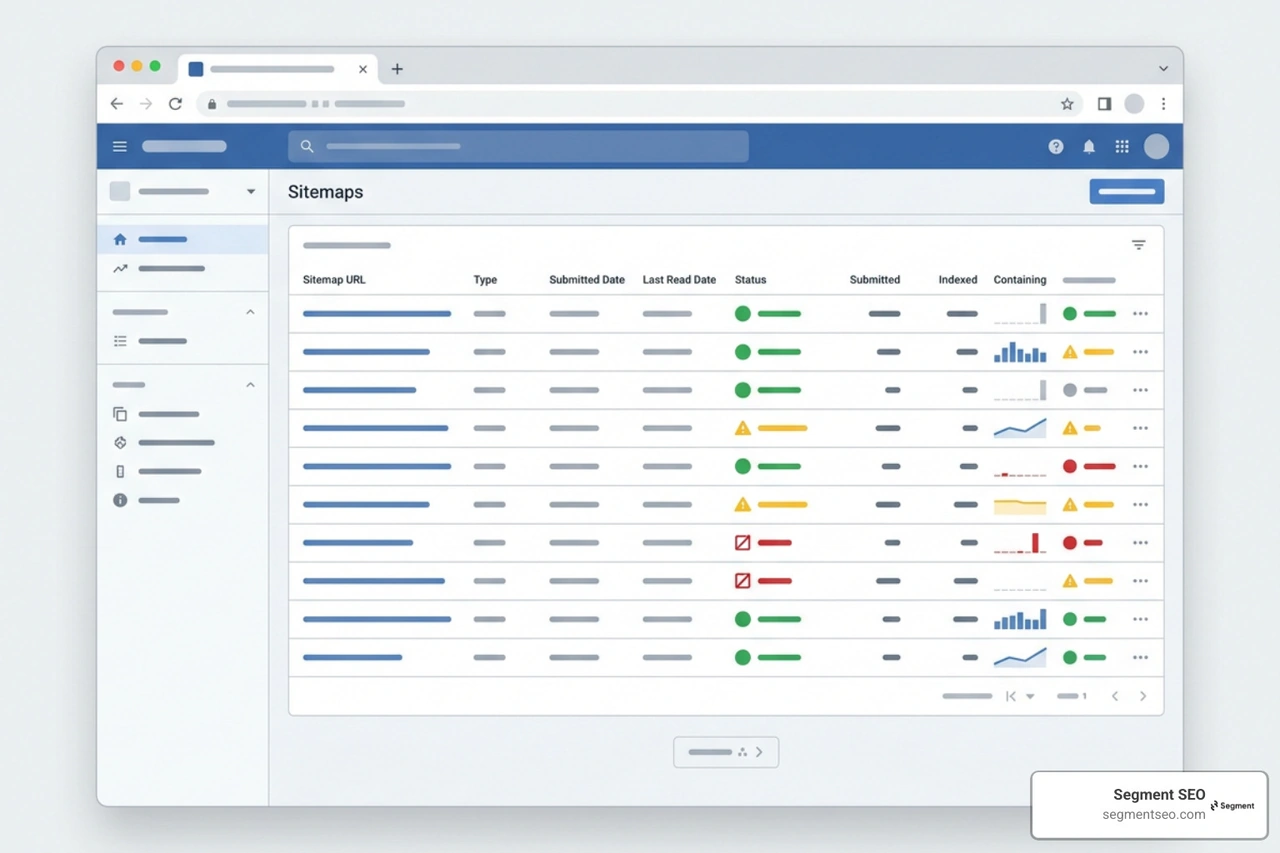
https://www.segmentseo.com/robots.txt. Ensure the content displays cleanly without HTML framing or unexpected character symbols.robots.txt file before deploying changes.There are two primary methods to notify Google about your XML sitemap:
Sitemap: https://www.segmentseo.com/sitemap.xmlThis method works universally across all major search engines (Google, Bing, Yandex, Baidu) without requiring verified property access inside webmaster portals. This approach is ideal for managing multiple properties or third-party client sites.Google processes submitted sitemaps on an independent schedule separate from standard page rendering. Deleting a sitemap from the Search Console report interface does not cause Google to drop the URLs contained inside it; you must use appropriate noindex directives, page removals, or server responses to remove pages from the index.
Add the Sitemap: directive followed by the complete, absolute URL of your sitemap file anywhere in your robots.txt document:
Sitemap: https://www.segmentseo.com/sitemap.xml
The directive is non-user-agent specific, meaning you can place it at the top or bottom of the file outside of any specific rule block. Ensure the URL contains the correct scheme (https://) and full domain name.
No. Google completely ignores the Crawl-delay directive in robots.txt. If you need to throttle or adjust Googlebot's crawling frequency to prevent server load issues, you must adjust the crawl rate setting within your Google Search Console account settings.
Google enforces a strict maximum file size limit of 500 KiB (512,000 bytes). If your file exceeds this threshold, Google ignores content after the first 500 KiB when processing the file. Any rules, disallow paths, or Sitemap: declarations located after that point will be ignored completely.
Managing your robots.txt file and XML sitemaps correctly is fundamental to proper technical governance and crawl efficiency. By establishing clean file paths, respecting protocol boundaries, adhering to length-based precedence rules, and using global sitemap declarations, you ensure search crawlers navigate your platform effectively.
If your SaaS website is struggling with crawl issues, indexing problems, or declining organic visibility, Segment SEO can help identify technical barriers and create a prioritized roadmap for growth. Explore our specialized B2B and SaaS Technical SEO Services or dive deeper into our master guide on the XML Sitemap & Robots.txt File.


