
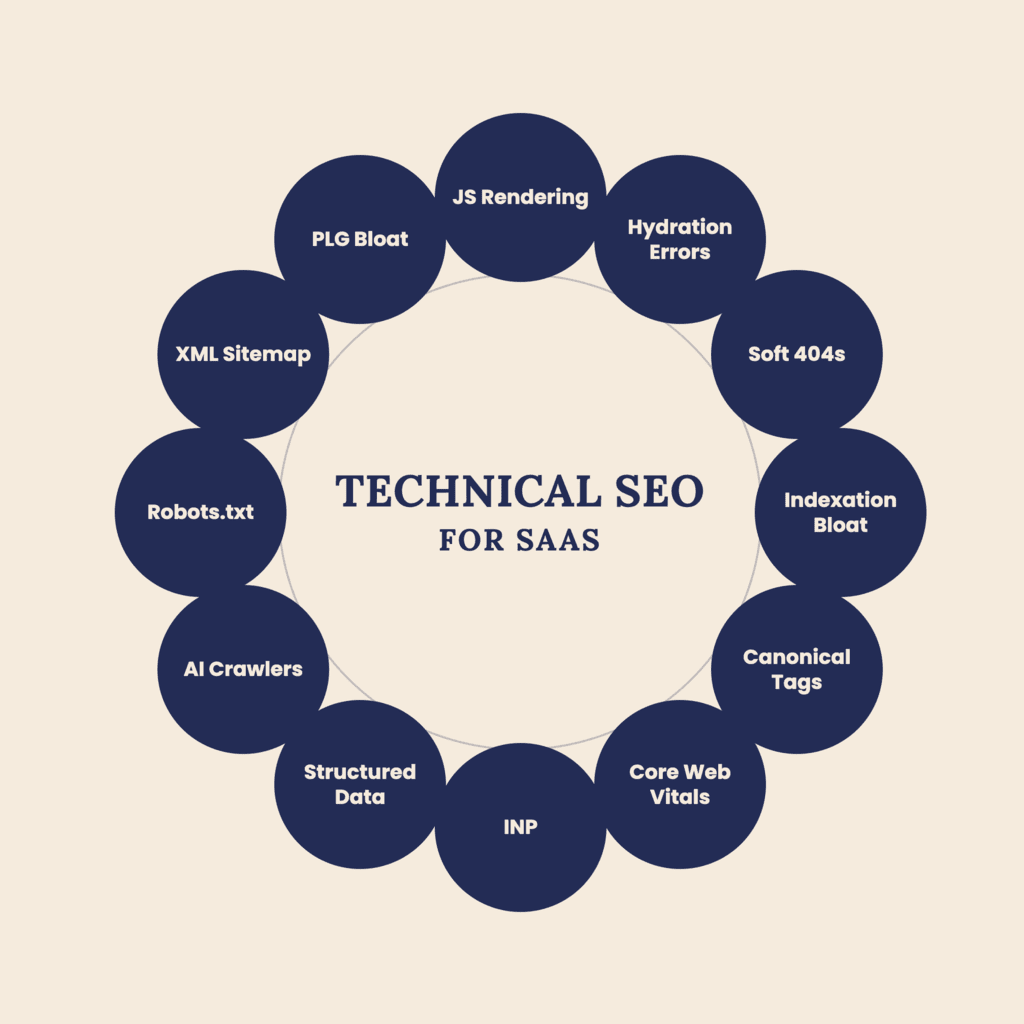
Most SaaS teams treat SEO as a content problem: publish more blog posts, target more keywords, build more links. But for software companies, the biggest barrier to ranking is often technical, not editorial.
SaaS products are built on JavaScript frameworks, generate thousands of auto-created pages (help docs, integrations, changelogs), and ship new releases weekly. All of that creates technical SEO problems that content alone can't fix.
This guide walks through the technical SEO issues that show up most often in SaaS websites, and how to fix them.
TL;DR
If you only remember seven things from this guide, make them these:
- Fix crawlability before creating more content.
- Use server-side rendering (SSR) or static generation for JavaScript-heavy marketing pages.
- Eliminate indexation bloat by consolidating duplicate and low-value pages.
- Implement consistent canonical tags to consolidate ranking signals.
- Improve Core Web Vitals by reducing third-party scripts and optimizing key assets.
- Add structured data after your technical SEO foundation is in place.
- Treat technical SEO as an ongoing process, not a one-time audit.
A marketing site for a local business might have 20 pages and rarely change. A SaaS site is different: thousands of pages across a marketing site, a docs subdomain, a blog, an integrations directory, and customer-facing app pages, and that footprint grows every time engineering ships a feature.
That scale, combined with heavy use of React, Vue, or Angular for the app shell, means small technical mistakes get multiplied across the entire site.
If Google can't crawl, render, or understand your pages, it doesn't matter how good the content is.
Technical SEO is the foundation everything else sits on.
Start by confirming Google can actually reach and crawl your important pages.
Audit your robots.txt: SaaS companies frequently block entire sections by accident: staging paths that leaked into production rules, or a blanket Disallow: /app/ that also catches public pages living under the same path structure. Check robots.txt against your actual sitemap and site architecture, not just what engineering assumes it says.
Check your XML sitemaps: Sitemaps should only include canonical, indexable, 200-status pages. SaaS sitemaps often get polluted with old blog tags, expired campaign landing pages, or duplicate parameter URLs from A/B testing tools. Submit sitemaps in Google Search Console and watch the "Discovered, not indexed" and "Crawled, not indexed" buckets. A growing pile there usually points to a quality or duplication problem, not a crawl budget problem.
Review internal linking depth: If a page is more than three or four clicks from the homepage, it's harder for Google to find and prioritize. This is a common issue with deep integration directories ("Integrations > Category > Individual Tool") and paginated help centers, and it's closely related to crawl depth and orphan pages, which quietly limit how often Google revisits your most important pages.
Most SaaS sites and web apps are built on JS frameworks, and Google's rendering process for JavaScript is a second, delayed step after initial crawling. That delay creates real risk.
Test with URL Inspection in Search Console, not just "View Page Source." Compare the rendered HTML Google sees against what a user's browser renders. If your critical content (headings, body copy, pricing tables) only appears after client-side rendering completes, and Google's rendered version is missing it, you have a problem.
Watch for hydration errors and soft 404s. A React or Vue component that fails to hydrate can leave Google looking at an empty shell, often read as a soft 404 even with a 200 status. Worse, a non-200 status on initial load (a transient 500, a bad redirect) gets a page dropped from the rendering pipeline entirely, and a slow or failed data fetch means Google indexes a blank skeleton instead of real content. Common culprits: client-rendered pricing pages, comparison tables, and dashboards.
Prefer server-side rendering (SSR) or static generation for marketing pages. Frameworks like Next.js, Nuxt, or Astro let you pre-render marketing and content pages while keeping the interactive app client-side. This removes rendering risk entirely for the pages that matter most for organic traffic.
Don't rely on dynamic rendering as a permanent fix Serving a separate rendered version to bots is a legitimate stopgap, but it adds maintenance overhead and risk of cloaking issues if the two versions drift apart. Treat it as temporary while you migrate to SSR.
This matters even more for AI search visibility. Many AI crawlers rely primarily on the HTML they retrieve and may not process client-side JavaScript as reliably or completely as Google Search. If important product pages, comparison pages, or feature content only become available after client-side rendering, AI systems may struggle to understand or cite that information. Using server-side rendering (SSR) or static generation for marketing pages makes your content more accessible to both traditional search engines and AI-powered discovery platforms. While reviewing your robots.txt file, also check that you aren't unintentionally blocking crawlers such as GPTBot, ClaudeBot, or PerplexityBot if AI search visibility is part of your SEO strategy
SaaS sites accumulate low-value, auto-generated pages faster than almost any other business type: help articles, API reference pages, user-generated community threads, tag archives, and localized duplicates.
Segment your site by page type and audit each segment separately. Look at indexation rate, average organic sessions, and duplication risk for each category: marketing pages, blog, docs, integrations, community. This is where segmenting your analysis (not just your keywords) actually changes decisions, because a fix that's right for your blog can be wrong for your docs.
Noindex low-value templated pages rather than deleting them if they still serve users, such as thin "coming soon" integration pages, empty tag pages, or duplicate content across regional docs. This keeps them out of the index without breaking internal links or user experience.
Consolidate near-duplicate content. SaaS help centers often have five articles answering slightly different phrasings of the same question. Merge them into one comprehensive page and 301 redirect the rest. This concentrates ranking signals instead of splitting them across weak, competing pages.
SaaS platforms with app-driven URLs (filters, sort orders, session parameters, tracking tags) are especially prone to duplicate content from URL parameters.
Set self-referencing canonical tags on every indexable page as a baseline. Then explicitly canonicalize parameterized or filtered versions of a page back to the clean version.
Watch for protocol and subdomain duplicates: http vs https, www vs non-www, and staging environments that accidentally got indexed. These are simple to fix with 301 redirects and consistent internal linking, but easy to overlook once a site has been live for years.
Be deliberate about docs and blog subdomains vs. subfolders. Hosting documentation or a blog on a subdomain (docs.yoursite.com) versus a subfolder (yoursite.com/docs) affects how authority consolidates across your domain. Subfolders generally make it easier for content to benefit from the authority of your main domain, which matters most for newer or smaller sites still building domain strength.
Google uses Core Web Vitals as a ranking signal, and SaaS marketing sites, often loaded with tracking scripts, chat widgets, video embeds, and font libraries, are frequent offenders.
Audit third-party scripts first. Chat widgets, analytics tags, and marketing automation snippets are usually the biggest contributors to poor Largest Contentful Paint (LCP) and Interaction to Next Paint (INP) scores on SaaS sites. Load non-critical scripts asynchronously or defer them until after the main content renders.
Pay special attention to INP on interactive pages. Since Google replaced First Input Delay (FID) with INP as a core signal, pages with heavy interactivity, in-app dashboards, pricing calculators, and multi-step signup flows, are the most exposed. A slow response to a click or keystroke on these pages hurts the metric more than it would on a static blog post, so they deserve a first pass before anything else.
Optimize hero images and above-the-fold video. Product screenshots and demo videos on landing pages are common LCP culprits. Compress images, use modern formats (WebP/AVIF), and lazy-load anything below the fold.
Monitor Cumulative Layout Shift (CLS) on pricing and comparison pages. These pages often load dynamically injected content (personalized pricing, A/B test variants) that shifts layout after initial render, a frequent and fixable CLS trigger. Tracking these metrics over time, rather than as a one-off audit, is where ongoing SEO analytics earns its keep.
Schema markup won't fix a crawlability problem, but it helps Google understand and better display pages once the fundamentals are solid.
Add SoftwareApplication schema to product pages, FAQPage schema to help articles and comparison pages, and Article schema to blog posts. For companies with public reviews or ratings, AggregateRating schema can support star ratings in search results, which meaningfully improves click-through rate on competitive comparison and "best of" queries.
If you're not sure where to start, work through these in order: confirm robots.txt and sitemaps match your real site structure, check rendered HTML against source HTML for your top 20 landing pages, run a Core Web Vitals report and fix your worst third-party script offenders, then move to indexation and canonicalization cleanup. If you'd rather have this mapped out for your specific site, our technical SEO audits cover exactly this process. Technical SEO fixes compound: cleaning up crawlability and indexation issues first makes every later content and link-building effort more effective, because you're no longer asking Google to figure out which of five near-duplicate pages deserves to rank.
Technical SEO isn't a one-time audit for SaaS companies. It's an ongoing discipline that has to keep pace with how fast the product and site change. The teams that treat crawlability, rendering, and indexation as seriously as they treat content strategy are the ones that see compounding organic growth instead of a plateau six months after their content push began.
Want the checklist version of this guide to run through with your team?


